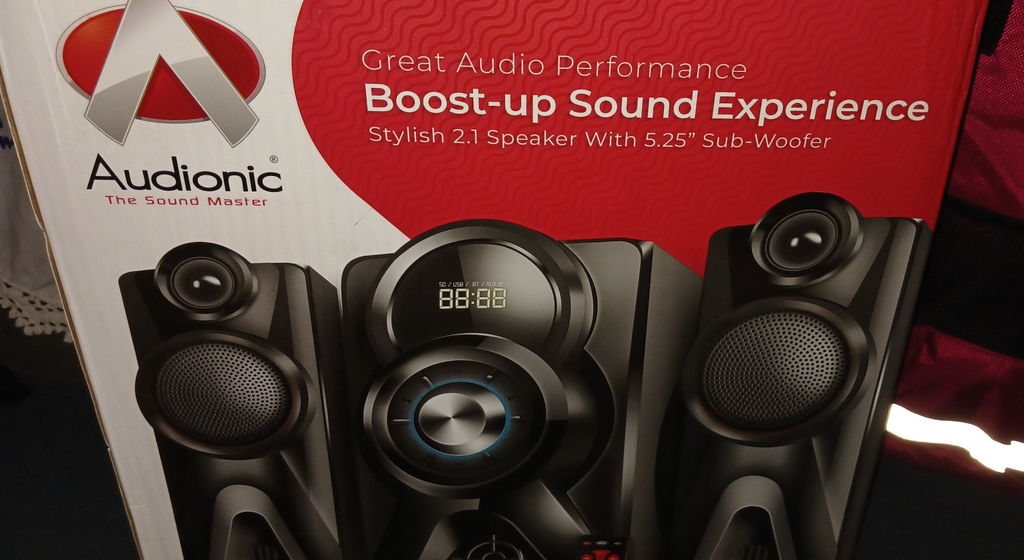
How do I connect my MEGA-100 ADVANCE 2.1 Speaker to my TV? A: You can connect the system to your TV via an AUX cable or Bluetooth or Optical Cable. Plug one end into the Audio Output of your TV and the other end into the Audio Input of the MEGA-100 ADVANCE 2.1 Speaker. If your TV supports Bluetooth, you can also pair the speaker system wirelessly. How do you control the MEGA-100 ADVANCE 2.1 Speaker? A: The toggle controls on the MEGA-100 ADVANCE 2.1 Speaker allow you to adjust volume, toggle between different audio sources, and switch the system on or off. The remote control provides additional controls including Bluetooth pairing and specific audio settings. How do I pair my device via Bluetooth to MEGA-100 ADVANCE 2.1 Speaker system? On your device, turn on Bluetooth and search for available devices. MEGA-100 ADVANCE 2.1 Speaker system should appear in the list. Select it to initiate pairing. If asked for a password, refer to your user manual, but many devices use '0000' or '1234'. How can I achieve the best surround sound with the MEGA-100 ADVANCE 2.1 Speaker? The optimal placement of speakers for surround sound is important. The main subwoofer can be placed near the TV or in the back while the Soundbar should be placed in the front of the room to get the best sound effect. What can I do if one of my speakers is not working? Check to make sure all connections are secure and the speaker is properly powered. If the problem persists, the speaker may be faulty or the wire may be damaged. Consult your user manual or contact Audionic support. How can I adjust the bass level on MEGA-100 ADVANCE 2.1 Speaker? You can adjust the bass level using the remote control. Look for the bass control button and adjust it to your liking. Can I connect multiple devices to my MEGA-100 ADVANCE 2.1 Speaker system at the same time? A: Generally, the MEGA-100 ADVANCE 2.1 Speaker system can only be connected to one audio source at a time. However, you can easily switch between devices by disconnecting the current device and pairing another. What should I do if the sound quality is poor? A: Make sure the audio source is of good quality. Poorly recorded or compressed audio will not sound good on any speaker system. Also, make sure the MEGA-100 ADVANCE 2.1 Speaker and the source device's volume are set appropriately - extreme high or low settings can distort sound.