




How to Pair Two Portable Speakers for Stereo Sound
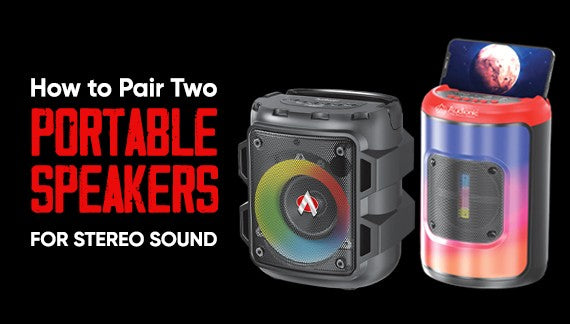
How to Pair Two Portable Speakers for Stereo Sound. To pair two portable speakers for stereo sound, you generally need two speakers that support stereo pairing or have a dual-speaker mode. Here's a general guide on how to pair them:
Check speaker compatibility:
Ensure that both Best portable speakers online support stereo pairing or have a dual-speaker mode. Read the instruction manual or visit the manufacturer's website to confirm if this feature is available for your specific speakers.
Power on the speakers:
Turn on both portable speakers and make sure they have enough battery power or are connected to a power source.
Enable pairing mode:
Each speaker may have a specific method to enable pairing mode. Refer to the instruction manual for the exact steps. In most cases, you might need to press and hold a specific button or combination of buttons until a pairing indicator light or sound is activated.
Connect one speaker to your device:
Pair one of the speakers with your audio source, such as a smartphone, tablet, or computer, using Bluetooth. Go to the Bluetooth settings on your device, search for available devices, and select the speaker you want to connect to.
Pair the second speaker:
Once the first speaker is connected, proceed to pair the second speaker. Follow the same steps as before to enable pairing mode on the second speaker, then go to your device's Bluetooth settings and connect to the second speaker.
Check stereo pairing:
After both speakers are connected, check if they are set up for stereo sound. Some speakers automatically configure themselves once they are paired, while others might require additional steps. Refer to the instruction manual for specific instructions on setting up stereo pairing.
Test the stereo sound:
Play some audio or music on your device and listen to see if the sound is coming from both speakers. You should experience a wider soundstage with distinct left and right audio channels, creating a stereo effect.
Note:
The exact steps may vary depending on the brand and model of your portable speakers. Always refer to the instruction manual provided by the manufacturer for the most accurate and detailed instructions.
Remember, how to Pair Two Portable Speakers for Stereo Sound if your portable speakers do not have built-in stereo pairing capabilities, it may not be possible to achieve stereo sound with those particular speakers. In that case, you may need to consider purchasing speakers explicitly designed for stereo sound or explore alternative methods like using an audio splitter or a dedicated stereo amplifier.
The Top 5 Portable Speakers for DJs and Music Production
The Best Portable Speakers for Gaming
Related Posts

Most Demanded Earbuds | Restocked

Top 5 Features to Look for in Premium Wireless Earbuds

The Ultimate Guide to Choosing the Best Wireless Earbuds in 2026

The Evolution of Wireless Earbuds: From Early Bluetooth to Smart AI Audio

How to Fix Common Wireless Earbud Connectivity Issues

Choosing the Right Power Bank: Capacity, Portability, and Features

Are Expensive Wireless Earbuds Worth It? A Detailed Comparison


